
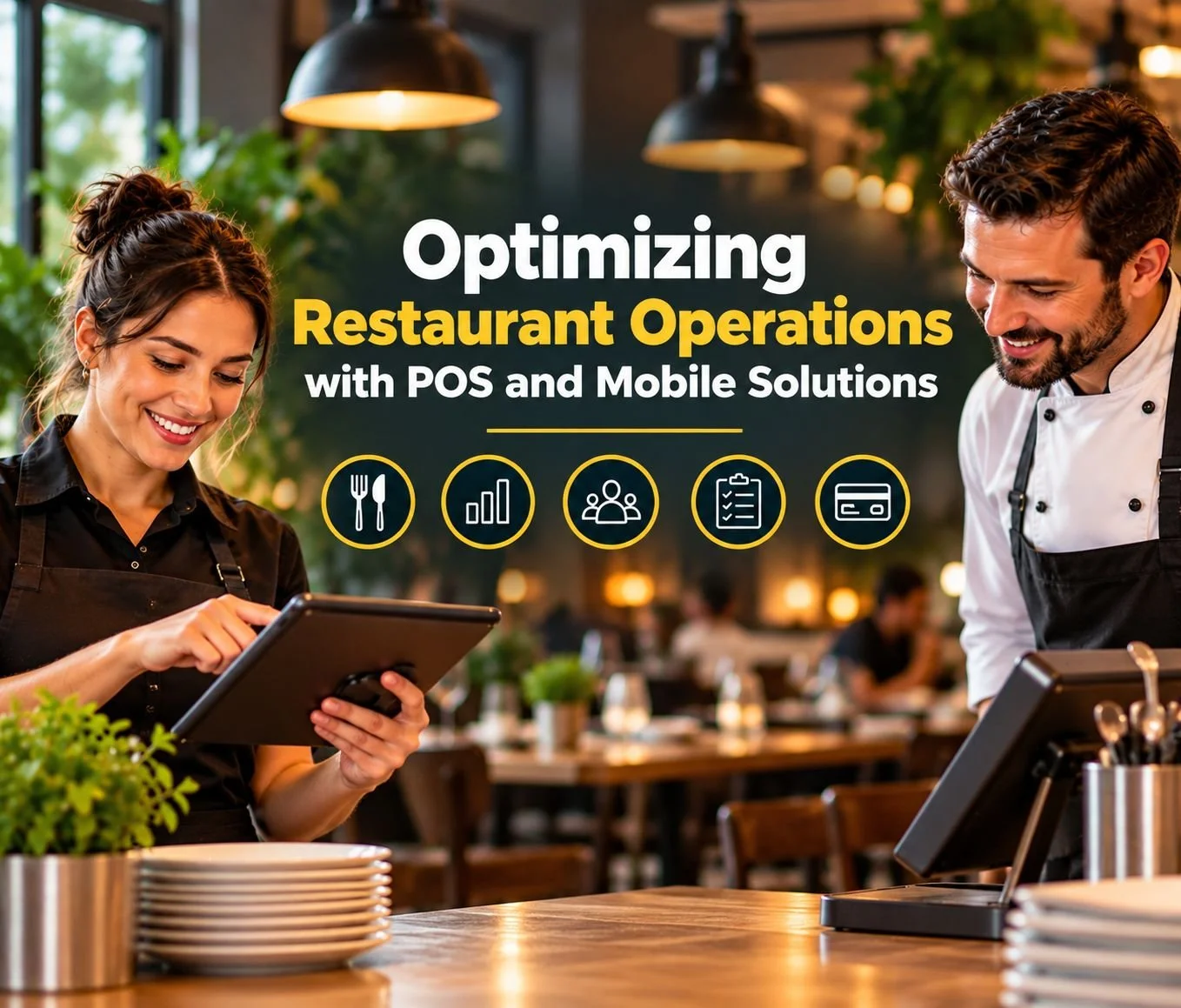
Running a successful restaurant requires more than excellent food and friendly service. Owners must coordinate employees, manage inventory, process payments, and maintain efficient kitchen operations. When these responsibilities rely on disconnected systems, even routine tasks can become unnecessarily complicated.
Modern restaurant POS systems and mobile solutions help businesses streamline operations while improving the customer experience. These technologies connect essential restaurant functions, reduce manual work, and provide valuable information for daily decisions. Additionally, mobile POS devices give employees greater flexibility when serving guests and managing transactions.
At Retail Systems Inc. (RSI), we help restaurants find POS solutions that support efficiency, profitability, and long-term growth. In this guide, we'll explore how integrated restaurant POS technology simplifies operations and helps businesses deliver better service.
How Do POS and Mobile Solutions Improve Restaurant Operations?
Restaurant POS systems organize sales, orders, payments, and other business activities through connected technology. Mobile POS solutions extend selected capabilities to tablets, smartphones, and handheld devices. Together, these tools help employees complete tasks more efficiently and access information when needed.
Depending on the platform, restaurant POS systems may also integrate with kitchen displays, inventory software, and employee management tools. These connections help restaurants reduce unnecessary steps and maintain more consistent workflows.
Key operational benefits include:
Faster ordering and payment processing
Improved communication between servers and kitchen employees
More accurate inventory tracking
Easier employee and labor management
Convenient tableside and curbside service
Better access to sales and performance reports
More flexible restaurant operations
However, available features vary by POS provider and configuration. Restaurant owners should identify their operational priorities before choosing a system. Our guide to the key features to look for in restaurant POS systems explains important capabilities to consider.
1. Streamline Restaurant Ordering with Integrated POS Technology
Efficient order management helps restaurants maintain consistent service throughout the day. Traditional handwritten tickets and disconnected ordering systems can create delays, confusion, and unnecessary mistakes. Modern restaurant POS systems simplify this process by organizing orders through a centralized interface.
Servers can enter menu selections, add modifications, and submit orders electronically. Compatible systems then communicate order information to the appropriate preparation areas. Consequently, kitchen employees receive clearer instructions without relying on handwritten notes or repeated verbal communication.
For example, a server can record a customer's ingredient substitution directly within the order. The kitchen receives those details through the connected ordering workflow, reducing the likelihood of misunderstandings. Additionally, managers can review order activity and identify processes that need improvement.
Integrated ordering becomes especially valuable during busy dining periods. Restaurant owners exploring different configurations can review RSI's restaurant and hospitality POS solutions to compare available technology.
2. Mobile POS Solutions Improve Tableside Service
Mobile POS technology allows employees to complete supported tasks without returning to stationary terminals. Servers can enter orders, review checks, and process compatible payments directly at the table. This flexibility helps reduce unnecessary movement while creating a more convenient dining experience.
For example, a server using a handheld POS device can record an order while speaking with guests. Instead of walking to another terminal, the employee can submit the order immediately. Additionally, some mobile POS systems support tableside payments, allowing customers to complete transactions without waiting for their checks.
Mobile restaurant POS solutions can support several service improvements:
Tableside ordering and payment processing
Faster order modifications
Reduced congestion around stationary terminals
Greater flexibility for outdoor dining
More convenient customer interactions
These capabilities can also benefit restaurants with large dining rooms or multiple service areas. Our article, The Benefits of Mobile POS for Customer Interaction, explores how mobile technology supports more personalized service.
3. Kitchen Display Systems Improve Restaurant Workflow
Communication between front-of-house and back-of-house employees plays an important role in restaurant efficiency. During busy periods, unclear instructions can cause incorrect orders, preparation delays, and frustrated customers. Kitchen display systems help organize incoming orders and communicate details electronically.
Compatible restaurant POS systems can send orders directly to kitchen screens. Depending on the platform, employees may view preparation instructions, order modifications, and ticket status information. Some systems also organize orders by preparation station, helping kitchen teams coordinate responsibilities.
For example, a restaurant might route appetizers to one preparation area and entrées to another. Employees can then focus on relevant tasks without sorting through unrelated tickets. This organization helps kitchens manage orders more consistently during high-volume periods.
Kitchen display technology works best when restaurants establish clear procedures for order handling and communication. Managers should also evaluate screen placement, workflow requirements, and system compatibility before implementation. The right combination of technology and employee training can improve kitchen coordination considerably.
4. Restaurant POS Inventory Management Reduces Waste
Food inventory management affects restaurant profitability and customer satisfaction. Businesses must monitor ingredient availability, track purchasing patterns, and reduce unnecessary waste. Without accurate information, restaurants risk running out of popular menu items or purchasing excessive supplies.
Restaurant POS systems with compatible inventory tools help owners monitor sales activity and ingredient usage. Some platforms support recipe-based inventory tracking, which estimates ingredient consumption from completed menu orders. Others provide inventory alerts, purchasing reports, or integrations with dedicated inventory software.
For example, a restaurant might notice increased sales of a particular entrée during weekends. Managers can review historical POS data and adjust ingredient orders accordingly. This approach helps restaurants prepare for demand while avoiding unnecessary purchases.
Inventory management tools may help restaurants:
Monitor ingredient usage and availability
Identify popular and slow-selling menu items
Improve purchasing decisions
Reduce manual inventory adjustments
Identify potential food waste and shortages
However, accurate inventory management still requires proper setup and regular physical counts. Restaurants can learn more about connected inventory technology in our article, How Mobile POS Improves Inventory Management.
5. Mobile Payment Solutions Make Restaurant Checkout Easier
Payment processing represents an important part of the restaurant customer experience. Guests expect convenient transactions, accurate bills, and reasonable checkout times. Complicated payment procedures can create frustration, particularly when customers request separate checks.
Modern restaurant POS systems support various payment methods, depending on their hardware and processing capabilities. These may include credit cards, debit cards, contactless payments, and mobile wallets. Some systems also allow servers to divide checks by guest, item, or payment amount.
Mobile payment technology adds another level of convenience. Compatible handheld devices allow employees to complete transactions at the table, while supported digital payment solutions provide additional checkout options. These capabilities can reduce unnecessary waiting and improve transaction efficiency.
Restaurant owners should evaluate processing fees, hardware compatibility, security features, and payment integrations before choosing a solution. RSI helps businesses explore payment processing and POS technology that supports their operational requirements.
6. POS Reporting Helps Restaurants Make Smarter Decisions
Restaurant owners need reliable information to evaluate performance and identify opportunities for improvement. Without organized reporting, managers may struggle to understand sales trends, staffing requirements, and operational expenses. Restaurant POS systems help organize transaction data into reports that support more informed decisions.
Many platforms provide sales summaries, transaction histories, and menu performance information. Depending on the system, managers may also access labor reports, inventory insights, and other operational metrics. These tools help businesses identify patterns that might otherwise go unnoticed.
Useful restaurant POS reports may include:
Daily and weekly sales performance
Peak transaction periods
Popular and underperforming menu items
Employee sales activity
Discounts, refunds, and voided transactions
Inventory and labor information
For example, a restaurant might discover that certain menu items sell particularly well during lunch. Managers can use this information to adjust preparation procedures and purchasing plans. Additionally, historical reporting helps businesses compare performance across different periods.
Our article about real-time POS data for smarter business decisions explores additional reporting benefits.
7. Restaurant POS Systems Simplify Employee Management
Managing restaurant employees requires accurate scheduling, time tracking, and performance information. Managers must balance labor expenses with adequate staffing while maintaining consistent service. Restaurant POS systems can help organize these responsibilities through employee management features and compatible integrations.
Many systems allow employees to clock in and out electronically. Some platforms also provide labor reports, employee sales information, and scheduling integrations. These tools help managers monitor staffing patterns and prepare more accurate payroll records.
For example, managers can compare employee hours with historical sales activity to identify staffing trends. They may discover that certain shifts consistently require additional support. This information helps restaurants make better scheduling decisions without relying entirely on estimates.
However, POS technology does not replace employee supervision or proper training. Restaurant owners should also verify compliance with applicable labor regulations and payroll requirements. The right system supports management decisions while helping employees perform their responsibilities efficiently.
8. Online Ordering Integrations Connect Restaurant Sales Channels
Restaurant operations increasingly extend beyond the dining room. Customers may order through restaurant websites, mobile platforms, and third-party delivery services. Managing these channels separately can create additional work and increase the risk of mistakes.
Compatible restaurant POS integrations help centralize online and in-person order information. Depending on the platform, online orders may enter the restaurant's existing workflow without manual reentry. This connection helps employees organize orders and communicate more effectively with kitchen teams.
For example, an integrated system may send pickup orders directly to the kitchen display. Employees can then prepare orders alongside dine-in requests using established procedures. Some integrations also support menu synchronization, payment processing, and order status updates.
Restaurants should confirm compatibility with their preferred ordering platforms before purchasing POS software. Additionally, managers should review how integrations handle unavailable menu items, refunds, and order modifications. Well-configured systems can improve convenience while reducing unnecessary administrative work.
9. Cloud-Based POS Systems Support Flexible Restaurant Management
Restaurant owners often need access to business information when they're away from the restaurant. Cloud-based POS systems can provide remote access to selected reports and management functions. This flexibility helps owners monitor operations without remaining at a stationary terminal.
Depending on the platform, authorized users may review sales performance, employee activity, and inventory information through compatible devices. Some systems also support centralized management across multiple restaurant locations. These capabilities can simplify oversight and improve operational consistency.
For example, a restaurant owner might compare sales performance across two locations. The information could reveal differences in menu demand, staffing patterns, or transaction volume. Managers can then investigate those differences and adjust procedures when appropriate.
However, cloud capabilities depend on the POS platform, subscription, and connectivity requirements. Restaurant owners should evaluate security, offline functionality, and support before implementation. Our article, How Cloud-Based POS Systems Improve Efficiency and Security for Modern Businesses, provides additional guidance.
10. Mobile POS Solutions Support Outdoor Dining and Flexible Service
Restaurants with patios, outdoor seating, and temporary service areas face unique operational challenges. Employees may need to travel considerable distances between customers and stationary POS terminals. Mobile POS technology helps address these challenges by bringing ordering and payment capabilities closer to guests.
Handheld devices can allow servers to enter orders and process compatible payments throughout supported service areas. This flexibility helps restaurants reduce unnecessary trips and maintain consistent service. Additionally, mobile POS technology may support curbside pickup and temporary checkout stations.
For example, a restaurant hosting an outdoor event might use portable devices to serve guests more efficiently. Employees can complete supported transactions without requiring every customer to visit a central register. However, restaurants should confirm wireless coverage, device battery life, and payment connectivity before expanding service areas.
Our article, Mobile POS Solutions: A Game Changer for Small Businesses, explains how portable technology creates greater operational flexibility.
11. Integrated POS Technology Helps Restaurants Prepare for Growth
Restaurant technology should support current operations while accommodating future business needs. A system that works for one location may become inadequate when transaction volume increases or additional locations open. Therefore, scalability deserves consideration when selecting restaurant POS software.
Scalable systems may support additional terminals, employees, integrations, or locations, depending on the platform. Some also provide centralized reporting and configurable management features. These capabilities help restaurants expand without immediately replacing their entire technology infrastructure.
For example, a growing restaurant may add handheld ordering devices to support an expanded dining area. Another business might require centralized sales reporting after opening a second location. Choosing flexible technology can make these transitions easier.
Restaurant owners should also consider ongoing software costs, hardware compatibility, and support requirements. Our article, Why Small Businesses Should Choose Scalable POS Solutions, explains why planning for growth matters.
Choosing the Right Restaurant POS and Mobile Solutions
Not every restaurant requires the same technology. Quick-service restaurants often prioritize transaction speed and efficient ordering, while full-service establishments may need advanced table management. Food trucks and outdoor venues may place greater importance on mobile payment capabilities.
Before choosing a restaurant POS system, owners should evaluate their operational challenges and existing workflows. They should also consider employee training, integration requirements, payment processing, and future expansion. Comparing these factors helps businesses avoid unnecessary features and identify suitable technology.
Important questions include whether the system supports existing ordering platforms and compatible mobile devices. Restaurant owners should also evaluate reporting tools, inventory capabilities, security features, and technical support. At RSI, we help businesses explore available POS solutions and identify options that fit their operational needs.
How RSI Helps Restaurants Optimize Their Operations
At Retail Systems Inc., we understand that every restaurant operates differently. Our team helps businesses evaluate POS solutions based on their service style, operational requirements, and long-term goals. We focus on finding practical technology that supports efficiency and customer satisfaction.
We offer restaurant POS options including SpotOn POS, SkyTab POS, Heartland Restaurant POS, and POSitouch. Available features and integrations vary by platform and configuration. Our team members help clients compare options and understand which capabilities align with their business needs.
Additionally, RSI provides POS installation, training, and technical support services. We help businesses prepare employees for new technology and support smoother implementation. Whether you're upgrading an existing system or opening a new restaurant, our team can help you explore suitable solutions.
Better Restaurant Operations Start with Connected POS Technology
Efficient restaurant operations depend on communication, accurate information, and reliable processes. Restaurant POS systems help organize orders, payments, inventory, employee activity, and business reporting. Mobile POS solutions extend selected capabilities beyond stationary terminals, creating greater flexibility for employees and customers.
When restaurants connect these tools effectively, they can reduce unnecessary work and improve daily coordination. However, successful implementation requires choosing technology that fits the business. At RSI, we help restaurant owners evaluate solutions that support efficient operations and future growth.
Frequently Asked Questions About Restaurant POS and Mobile Solutions
Restaurant owners often have questions about integrating POS technology into daily operations. Understanding available capabilities helps businesses choose systems that support their needs. Below, we answer common questions about restaurant POS systems and mobile solutions.
What is the difference between restaurant POS and mobile POS systems?
Restaurant POS systems manage transactions and operational functions through compatible software and hardware. Mobile POS solutions extend selected capabilities to handheld devices, tablets, or smartphones. Many restaurants use both technologies together.
How do mobile POS systems improve restaurant efficiency?
Mobile POS devices allow employees to complete supported tasks without returning to stationary terminals. Servers may enter orders, process payments, and assist customers directly at the table. This flexibility reduces unnecessary movement and supports faster service.
Can restaurant POS systems manage inventory?
Yes. Many restaurant POS platforms include inventory features or integrate with dedicated inventory software. Depending on the system, businesses can monitor ingredient usage, sales patterns, and stock levels.
Do restaurant POS systems integrate with online ordering platforms?
Many restaurant POS systems support online ordering integrations. Compatible platforms may transfer digital orders into existing restaurant workflows. However, available integrations depend on the selected POS provider and ordering service.
Are mobile POS systems secure for restaurant payments?
Reputable mobile POS solutions typically incorporate payment security features such as encryption and access controls. Restaurants should verify applicable security standards, software updates, and processing requirements before implementation.
Can POS systems help restaurants reduce operating costs?
POS systems provide reporting and automation tools that may reduce unnecessary administrative work and improve resource planning. Inventory and labor insights can also support cost-control decisions. However, actual savings depend on implementation and restaurant operations.
What should restaurants consider before choosing a POS provider?
Restaurant owners should evaluate software features, payment processing, integrations, training, scalability, and technical support. They should also consider total costs and compatibility with existing equipment. RSI helps businesses compare options based on their operational requirements.
Get Your FREE POS Analysis from RSI
Is your current POS system helping your restaurant operate as efficiently as possible? At Retail Systems Inc., we help businesses explore POS and mobile solutions that simplify operations and support growth. Our team can help you evaluate technology that fits your restaurant's specific needs.
Request your FREE POS analysis today! Complete our online contact form or call us toll-free at 1-800-849-5642. Let RSI help you find the right POS solution for your restaurant!