
Key Features to Look for in Restaurant POS Systems
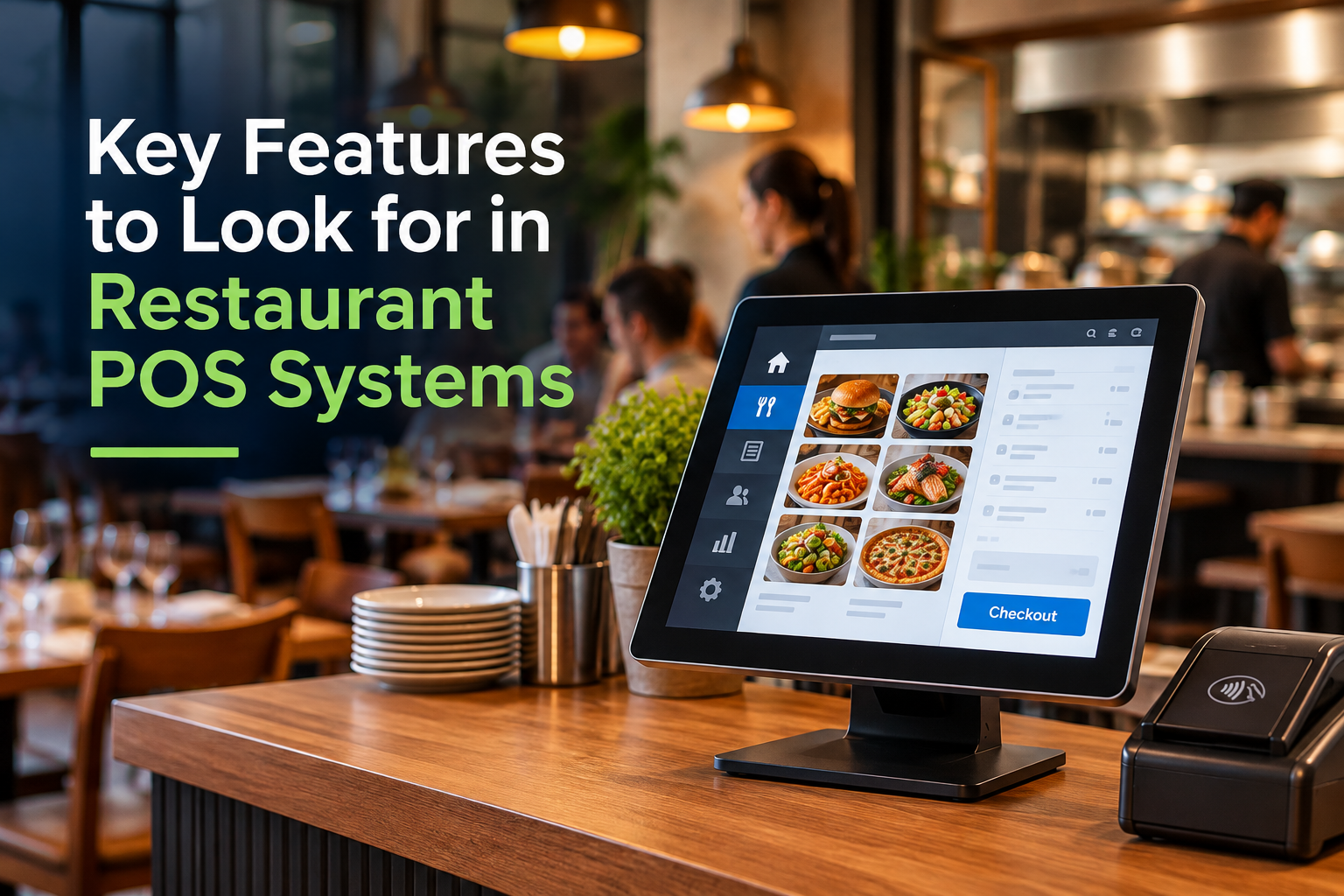
Running a successful restaurant requires more than great food and excellent customer service. Owners must also manage orders, employees, inventory, payments, and daily operations. Fortunately, modern restaurant POS systems help simplify these responsibilities while improving efficiency.
However, not every point-of-sale (POS) system offers the same capabilities. Restaurants need specialized features that support their service style, customer expectations, and business goals.
At Retail Systems Inc. (RSI), we help restaurants find POS solutions that meet their unique operational needs. Our team understands how important reliable technology is for busy restaurants. From table management to kitchen communication, the best restaurant POS system should make everyday tasks easier.
What Is a Restaurant POS System?
A restaurant POS system combines payment processing with tools that help manage foodservice operations. Unlike traditional cash registers, modern POS systems connect transactions with ordering, inventory management, employee tracking, and reporting.
Additionally, many restaurant POS solutions offer cloud-based access and mobile capabilities. These features help owners manage operations more efficiently while providing employees with convenient tools.
Common restaurant POS features include:
· Table management and seating organization
· Order entry and kitchen communication
· Split billing and flexible payment processing
· Inventory and food cost tracking
· Employee scheduling and time tracking
· Sales reporting and analytics
· Online ordering and delivery integration
The right combination depends on your restaurant's size, service style, and operational requirements. For example, quick-service restaurants may prioritize fast transactions. Meanwhile, full-service restaurants often need advanced table management and tableside ordering.
1. Table Management Improves Restaurant Efficiency
Efficient table management helps restaurants organize seating, monitor dining activity, and improve service. During busy periods, employees must track available tables, coordinate orders, and respond quickly to customer needs.
A restaurant POS system with table management features simplifies these responsibilities. Servers can view table assignments, track orders, and monitor dining activity through a centralized interface. Additionally, some systems allow employees to transfer checks between tables or servers.
These capabilities help restaurants:
Monitor occupied and available tables
Organize server assignments
Track orders by table
Manage seating changes
Improve communication between employees
As a result, restaurants can reduce confusion and create a smoother dining experience. Table management features become especially valuable during peak dining hours when employees must coordinate multiple tables efficiently.
2. Kitchen Display Systems Improve Order Accuracy
Communication between servers and kitchen staff directly affects restaurant performance. Traditional handwritten tickets can create confusion, while unclear instructions may cause incorrect orders or unnecessary delays.
Kitchen display systems (KDS) offer a digital alternative. When servers enter orders, compatible restaurant POS software sends those orders directly to kitchen screens. Kitchen employees can then review order details, modifications, and preparation priorities.
For example, a customer might request a burger without onions. The kitchen display can clearly show that modification, reducing the chance of mistakes. Additionally, some systems track preparation times and display ticket statuses.
These features help restaurants improve order accuracy and kitchen coordination. Furthermore, better communication allows employees to spend less time correcting mistakes and more time serving customers.
3. Split Billing and Flexible Payment Processing Simplify Checkout
Payment processing should create convenience rather than frustration. Restaurant customers frequently request separate checks, especially when dining in groups. Therefore, split billing represents an essential feature for many full-service restaurants.
A restaurant POS system should allow servers to divide bills by guest, item, or payment amount. Additionally, modern payment solutions may support several payment methods.
These options can include:
Credit and debit cards
Contactless payments
Mobile wallets
Gift cards
Digital receipts
Available payment methods depend on the selected POS platform and payment processor. However, flexible payment processing helps restaurants accommodate customer preferences while reducing checkout delays.
Restaurants should also evaluate transaction security and processing costs before choosing a system. At RSI, we help businesses explore POS and payment solutions that fit their operational needs.
4. Order History Helps Restaurants Track Sales and Customer Preferences
Restaurant owners need accurate information about previous transactions. Order history provides valuable insights into customer purchases, popular menu items, and sales activity.
Many restaurant POS systems store detailed transaction records for future reference. For example, managers can review previous orders when resolving billing questions or evaluating sales performance. Additionally, historical transaction data helps identify purchasing patterns.
Restaurants can use this information to:
Identify popular menu items
Review past transactions
Evaluate seasonal sales patterns
Investigate billing questions
Support purchasing decisions
Some restaurant POS platforms also connect order history with customer loyalty programs. These features can help restaurants provide more personalized service and encourage repeat visits.
However, customer data capabilities vary between systems. Therefore, restaurant owners should evaluate available features before selecting a platform.
5. Inventory Management Helps Control Restaurant Food Costs
Food costs represent a significant operating expense for restaurants. Without accurate inventory information, businesses risk overordering ingredients or running out of popular items.
Restaurant POS inventory management tools help owners monitor product usage and purchasing patterns. Some advanced systems also track ingredients through recipe-based inventory management.
For example, selling a menu item can automatically deduct its ingredients from available inventory. This feature helps restaurants estimate food usage more accurately and identify potential shortages.
Restaurant owners should look for:
Ingredient-level inventory tracking
Low-stock notifications
Food cost reporting
Supplier and purchasing management
Inventory usage reports
Not every restaurant POS system includes these capabilities. Therefore, businesses should confirm inventory features before purchasing.
Better inventory management helps restaurants reduce waste, control expenses, and make informed purchasing decisions. Furthermore, accurate inventory records help employees maintain product availability and improve customer satisfaction.
6. Employee Management Tools Simplify Restaurant Staffing
Managing restaurant employees involves scheduling, time tracking, and monitoring labor expenses. These responsibilities become more complicated during busy periods or when staffing needs change.
Fortunately, many restaurant POS systems include employee management features. Managers can use compatible platforms to track employee hours, review performance, and monitor labor costs. Some systems also support scheduling and shift management.
Employee management features may include:
Employee clock-in and clock-out
Time and attendance tracking
Role-based permissions
Labor cost reporting
Scheduling integrations
For example, restaurant owners can compare staffing levels with historical sales activity. This information helps managers identify scheduling adjustments and improve labor efficiency.
Additionally, organized staffing processes help restaurants maintain consistent customer service. Employees benefit from clearer expectations, while managers gain better visibility into daily operations.
7. Reporting and Analytics Support Better Business Decisions
Restaurant owners make important decisions every day. However, those decisions become more difficult without accurate information.
Restaurant POS reporting tools provide insights into sales, employee activity, and operational performance. Managers can analyze transaction data to identify trends and opportunities. For example, sales reports may reveal which menu items generate the most revenue.
Important restaurant POS reports include:
Daily and weekly sales
Sales by menu item
Payment method summaries
Labor costs
Discounts and voids
Inventory and food costs
Additionally, hourly reports can identify busy and slow periods. This information helps restaurant owners make more informed decisions about staffing, pricing, and purchasing. Likewise, restaurant owners can use real-time POS data to monitor sales, identify trends, and make smarter operational decisions overall.
Advanced reporting also reduces the need for manual calculations. Consequently, managers can spend more time improving operations and serving customers.
8. Cloud-Based Restaurant POS Systems Offer Greater Flexibility
Restaurant owners cannot always remain on-site. However, they still need access to important business information.
Cloud-based restaurant POS systems provide remote access to supported reporting and management tools. For example, an owner may review sales activity while traveling or managing another location.
Additionally, cloud-based systems can simplify software updates and centralized data management. Some platforms also support multiple restaurant locations, helping growing businesses maintain consistent operations. Furthermore, cloud-based POS systems provide remote access to business data while supporting operational efficiency and security.
However, internet requirements and offline capabilities vary between providers. Restaurants should evaluate connectivity needs before selecting cloud-based POS software.
At RSI, we help businesses explore POS solutions that support their operational requirements. Our team can assist with identifying features that match current needs and future growth plans.
9. Mobile POS Solutions Improve Restaurant Customer Service
Mobile POS technology allows servers to enter orders and process payments using handheld devices. Instead of returning to a stationary terminal, employees can complete supported tasks directly at the table.
This flexibility can improve restaurant efficiency and customer satisfaction. For example, servers can enter orders while speaking directly with customers. Consequently, compatible systems can send those orders to the kitchen sooner.
Mobile restaurant POS systems can also support:
Tableside ordering
Portable payment processing
Curbside transactions
Faster order modifications
Improved employee mobility
Mobile technology particularly benefits restaurants with outdoor seating or large dining areas. Additionally, quick-service restaurants can use handheld devices to reduce checkout congestion.
By reducing unnecessary movement, mobile POS solutions help employees focus on customer interactions. This approach can create a more convenient dining experience while improving service speed. Additionally, mobile POS technology improves customer interactions by allowing employees to provide faster, more personalized service.
10. Online Ordering and Delivery Integration Expand Restaurant Capabilities
Customers increasingly expect convenient ways to order food. Many restaurants now combine dine-in service with takeout, pickup, and delivery.
However, managing multiple ordering channels can create operational challenges. Restaurant POS systems with online ordering integrations help centralize transactions and simplify order management.
For example, compatible platforms can send online orders directly into restaurant workflows. This process reduces duplicate order entry and improves kitchen communication.
Restaurants should evaluate:
Online ordering compatibility
Delivery platform integrations
Menu synchronization
Order routing
Pickup management
Available integrations depend on the POS provider. Therefore, restaurant owners should confirm compatibility with their existing ordering platforms.
Choosing compatible restaurant technology helps businesses manage different ordering channels more efficiently. Furthermore, centralized ordering can reduce mistakes and improve customer experiences.
11. Security and Reliable Support Protect Restaurant Operations
Restaurants process sensitive payment information every day. Therefore, payment security should remain a priority when evaluating restaurant POS systems.
Businesses should consider encryption, secure user permissions, and payment industry compliance requirements. Additionally, restaurants need reliable hardware and dependable technical support.
A system failure during dinner service can disrupt operations and frustrate customers. Consequently, restaurant owners should evaluate the support options available from their POS provider.
At RSI, we provide POS installation, training, and technical support services. Our team members help businesses implement technology and address technical challenges.
Reliable support can make a significant difference when restaurants encounter unexpected problems. Furthermore, proper employee training helps businesses use their POS features more effectively.
How to Choose the Best Restaurant POS System
The best restaurant POS system depends on your business model. A small café may need straightforward ordering and payment processing. Meanwhile, a full-service restaurant may require table management, kitchen displays, and detailed reporting.
Before choosing restaurant POS software, consider these questions:
Does the system support our service style?
Can employees learn the software easily?
Does it integrate with our existing equipment?
Can it support mobile ordering and payments?
Does it offer the reporting tools we need?
What are the hardware and processing costs?
Can the system grow with our business?
What installation and support services are available?
Additionally, request a demonstration before making a final decision. Testing common workflows helps identify potential limitations before implementation.
At RSI, we help businesses evaluate POS options based on their specific operational requirements. Our goal is to help clients select technology that supports efficiency, customer service, and growth.
Why Choose RSI as Your Restaurant POS Provider?
Choosing a restaurant POS system involves more than comparing software features. Restaurants also need dependable equipment, knowledgeable guidance, and reliable support.
At Retail Systems Inc., we take a consultative approach to POS technology. We work with businesses to understand their operations and identify suitable solutions.
Our POS offerings include options such as SpotOn POS, SkyTab POS, Heartland Restaurant POS, and POSitouch. These platforms provide different capabilities for restaurant operations.
Our team members can also assist with installation, configuration, and employee training. Furthermore, we offer technical support to help businesses maintain their systems.
Whether you operate a small café or manage multiple restaurant locations, we can help you explore available POS options. We focus on helping businesses find solutions that match their needs rather than recommending one system for everyone.
Invest in Restaurant POS Technology That Supports Long-Term Growth
Restaurant POS systems do much more than process payments. The right solution can improve order accuracy, simplify staffing, control inventory, and provide valuable business insights.
Additionally, mobile and cloud-based features help restaurants adapt to changing customer expectations. These capabilities can support better service while improving daily operations.
However, choosing the best restaurant POS system requires careful evaluation. Restaurants should prioritize features that solve existing challenges while supporting future growth.
At RSI, we help businesses navigate these decisions and select technology that fits their operations. Explore our POS solutions or contact our team to discuss your restaurant's needs.
Frequently Asked Questions About Restaurant POS Systems
Restaurant owners often have questions about POS features, costs, and functionality. Understanding these details can help you make a more informed purchasing decision. Below, we answer common questions about choosing restaurant point-of-sale technology.
What features should a restaurant POS system have?
A restaurant POS system should support order management, payment processing, reporting, and appropriate kitchen communication tools. Full-service restaurants may also need table management, split billing, and employee scheduling capabilities.
What is the best POS system for a small restaurant?
The best POS system depends on your restaurant's size, budget, and service style. Small restaurants should prioritize ease of use, reliable payment processing, and essential management features.
Can restaurant POS systems track food inventory?
Yes. Many restaurant POS systems track inventory and provide reports about product usage. Some advanced platforms also offer ingredient-level tracking and food cost calculations.
How does a POS system improve restaurant customer service?
Restaurant POS systems help employees enter orders accurately, communicate with kitchens, and process payments efficiently. Additionally, mobile POS devices allow servers to assist customers directly at their tables.
Do restaurant POS systems include employee scheduling?
Some restaurant POS systems include scheduling tools or integrate with workforce management software. However, available features vary by provider and software package.
Can restaurant owners access POS reports remotely?
Many cloud-based restaurant POS systems allow owners to access reports remotely. Access depends on the selected platform, connectivity, and user permissions.
How much does a restaurant POS system cost?
Restaurant POS costs vary based on hardware, software subscriptions, payment processing, and additional features. Installation, integrations, and ongoing support may also affect total expenses.
How can RSI help restaurants choose a POS system?
At RSI, we help restaurants evaluate POS solutions based on their operational requirements. Our team also provides installation, configuration, training, and technical support services.
Get started with a FREE POS analysis today! Or, give us a call at 800-849-5642.